
One car chase, up the cost control scale From the quickest AI level to the VFX-heaviest, on one production.
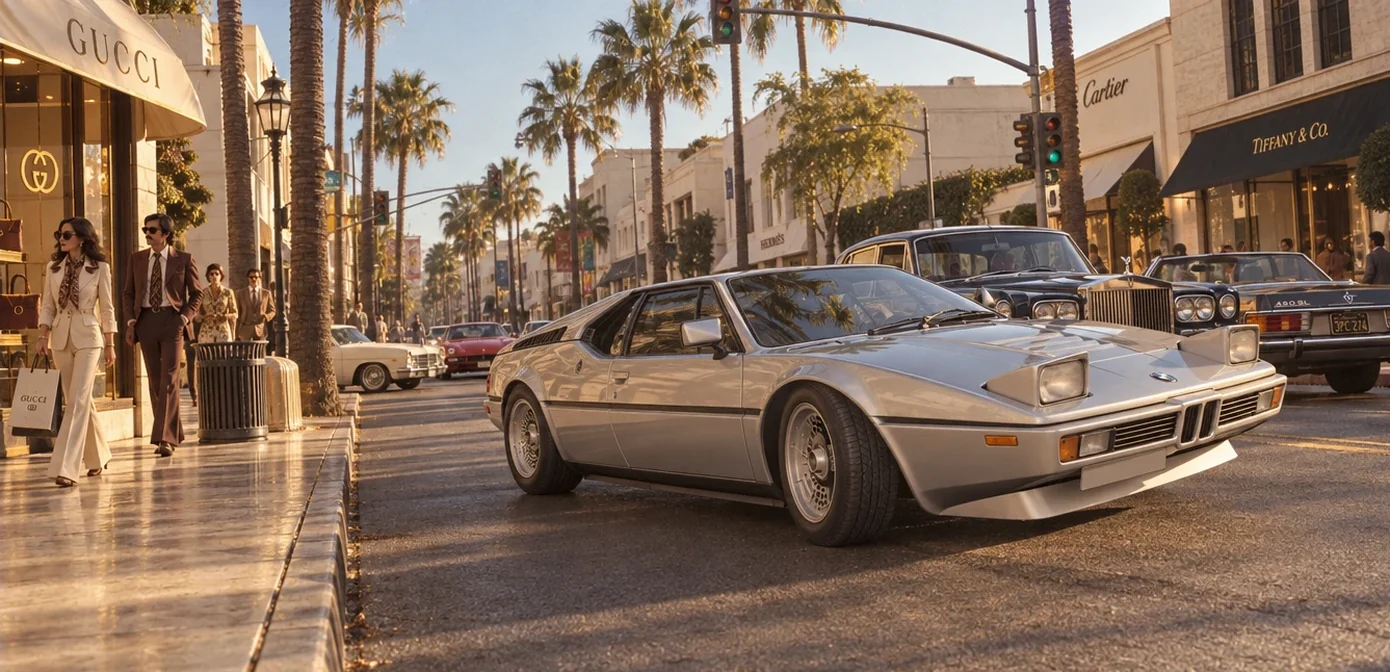
Rodeo Drive, Los Angeles, in the 1970s. A BMW M1 (E26) is the hero car of a chase. The look was agreed on a GenAI still, but a few things needed a new generation and hand work.
Each chapter below goes one level up the cost control scale: more control over the shot, more VFX work, and more cost. The cost control scale · The process
The car chase played four times side by side, in sync: the grey 3D animation, the AI version by day, a cyberpunk version and a futuristic version.
Look-locked
The look is agreed on stills before anything moves. The chosen frame is kept, and what AI got wrong is fixed on the still: a new prompt where it helps, hand work for the rest.
The frame
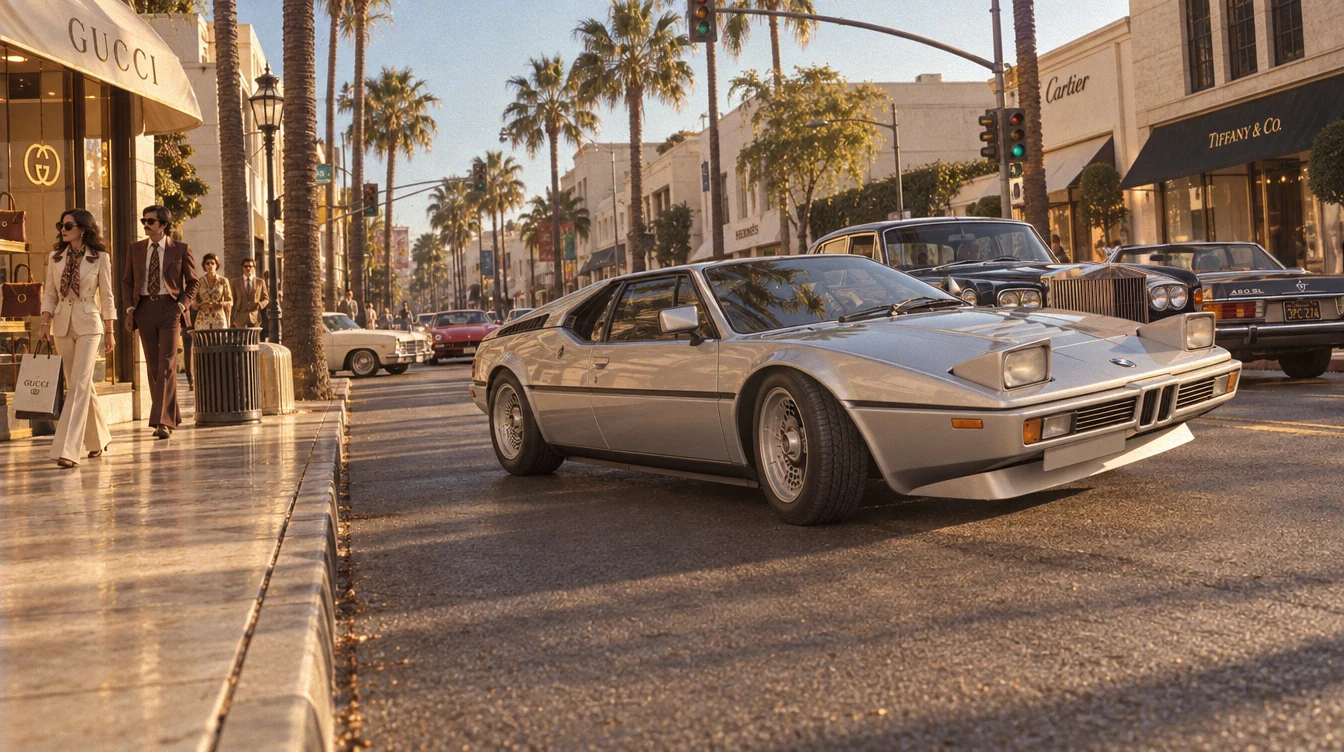
The generation we chose: the right light, the right street, the right era. A post-viz still.
Where it’s wrong
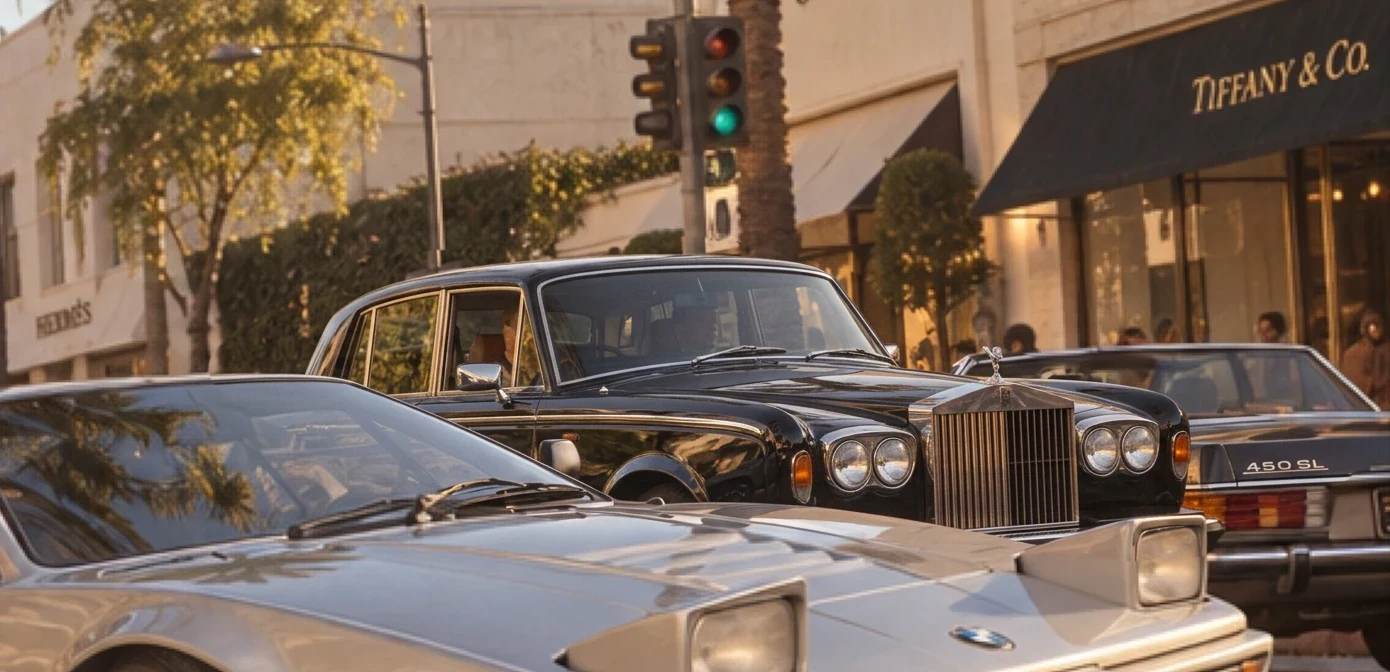
Look at the Rolls-Royce behind the hero car. The details a car person would spot at once are the ones AI gets wrong most often.
Look closer
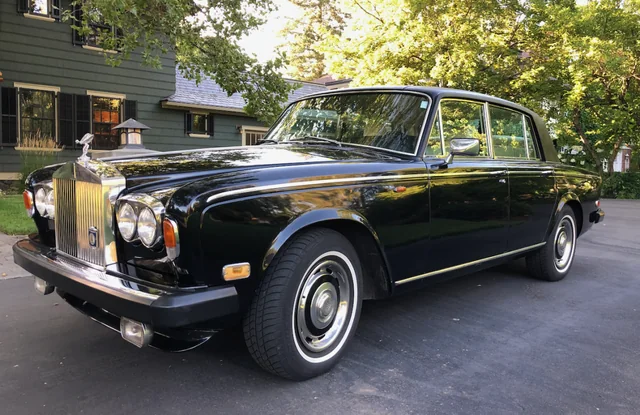
At full size the mistakes are plain next to the real car, top right. A new prompt alone would give a new car, with a new set of mistakes.
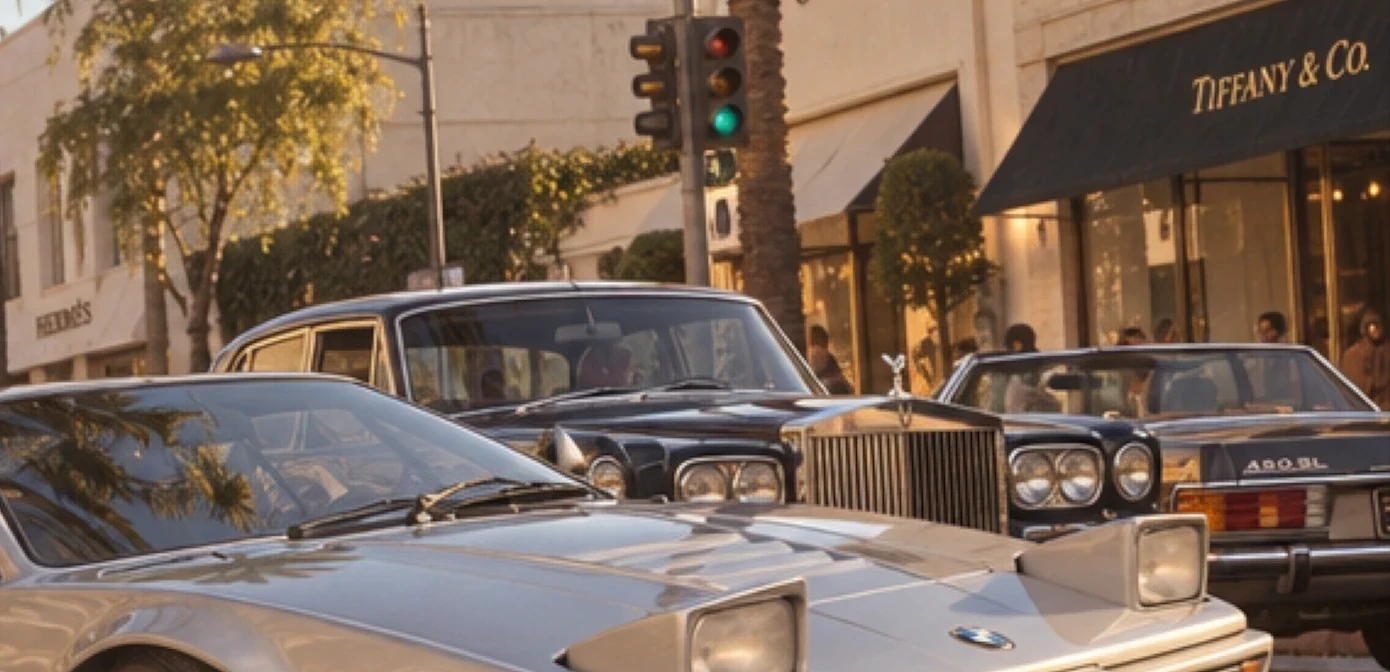
The fix
Not just a new prompt: hand work too. The car is prompted again, then painted and layered by hand on the still, in 2D. Drag the line to compare.
Consistency-locked
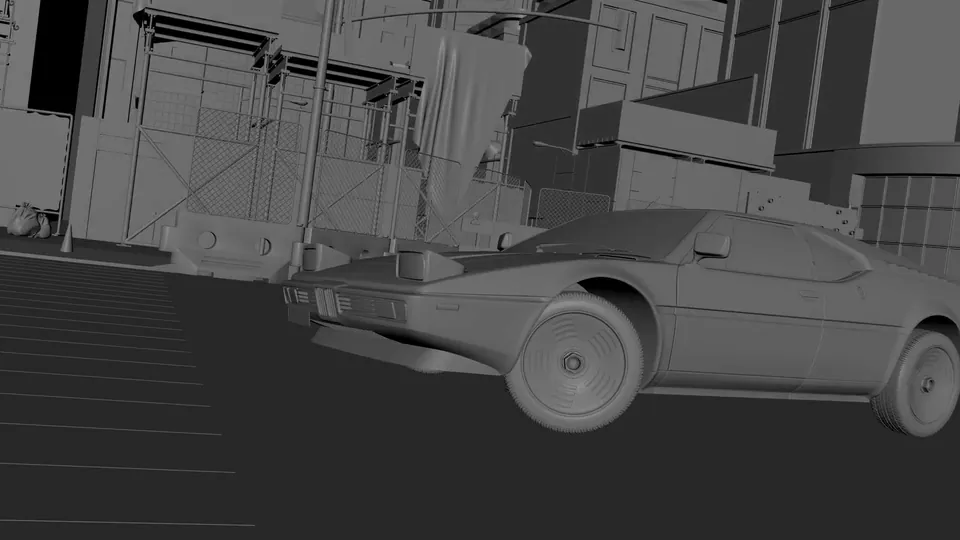
The scene is built in 3D first: a grey render of the street, the hero car and the camera. Our first generation follows that CG guide.
It keeps every shape accurate in 3D, and consistent from shot to shot and from one camera angle to the next. It is also the first step to more control over the motion, when a shot needs it.
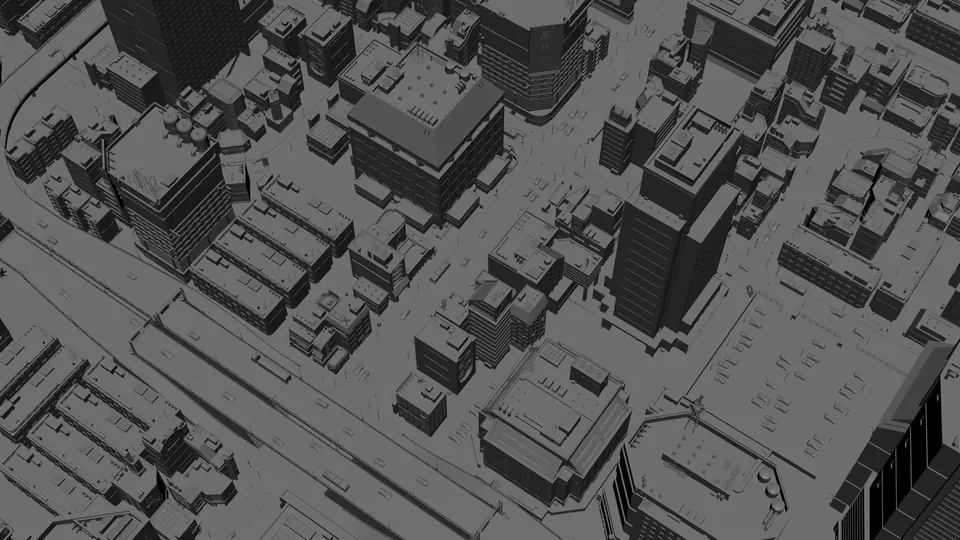
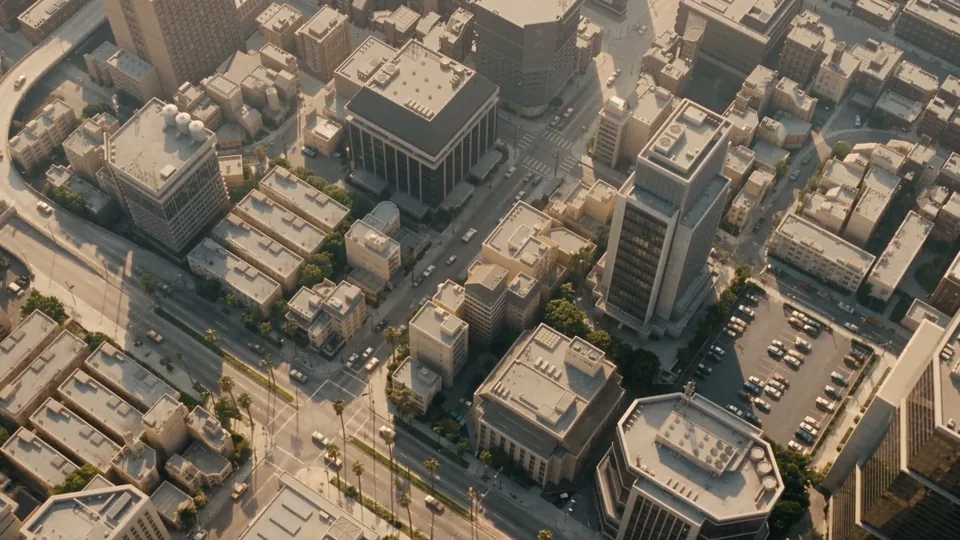 1 Aerial
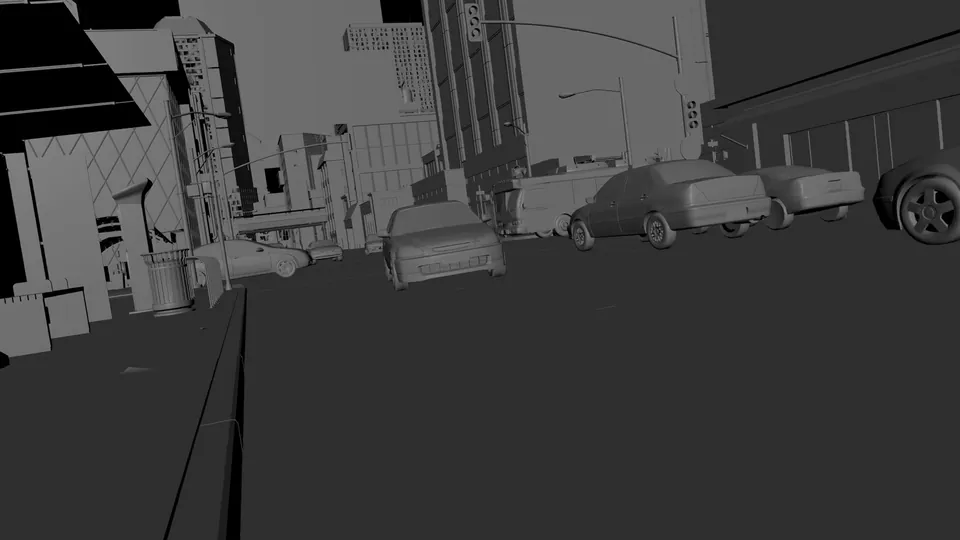
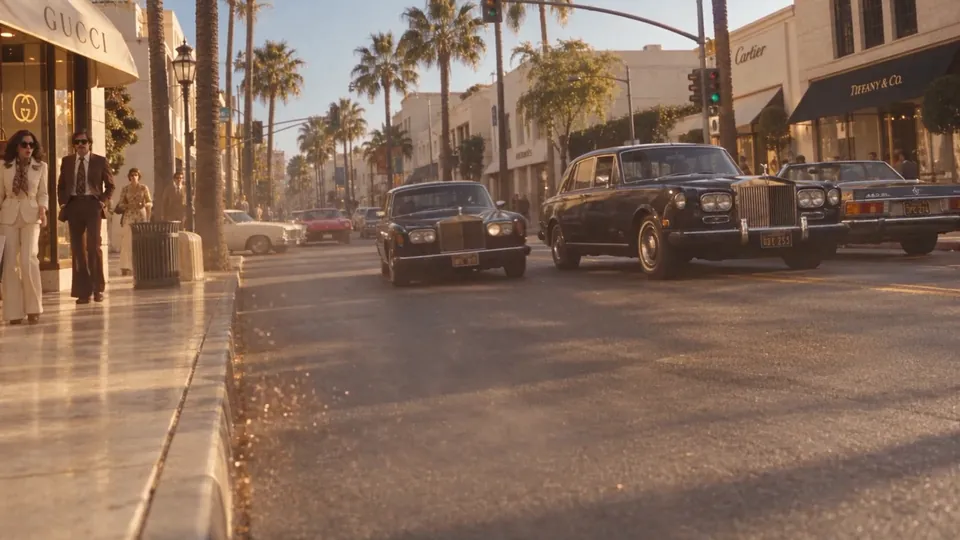 2 The street
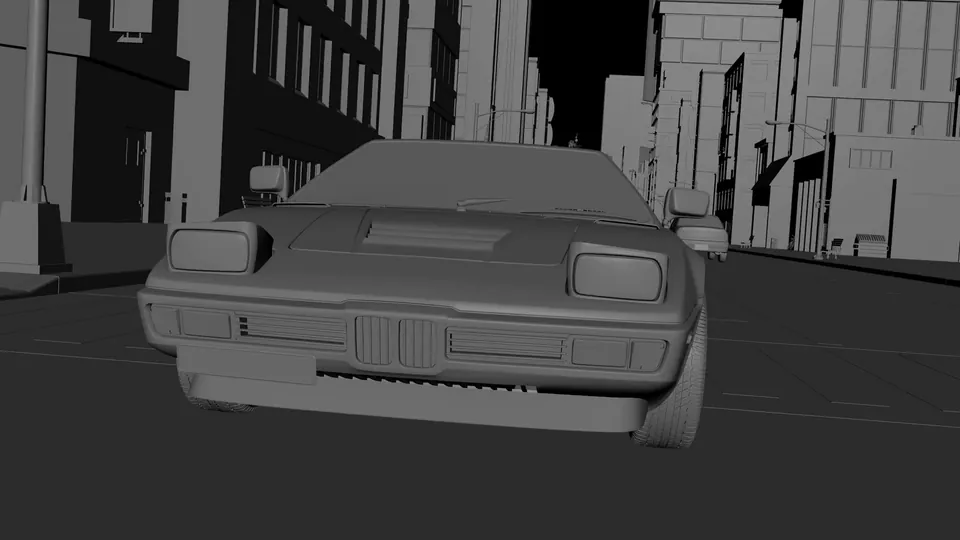
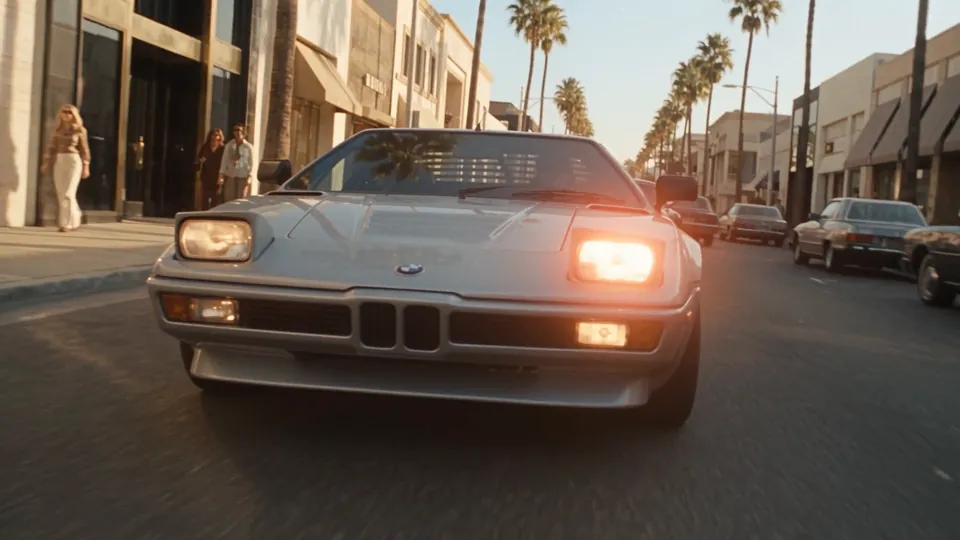 3 Head-on
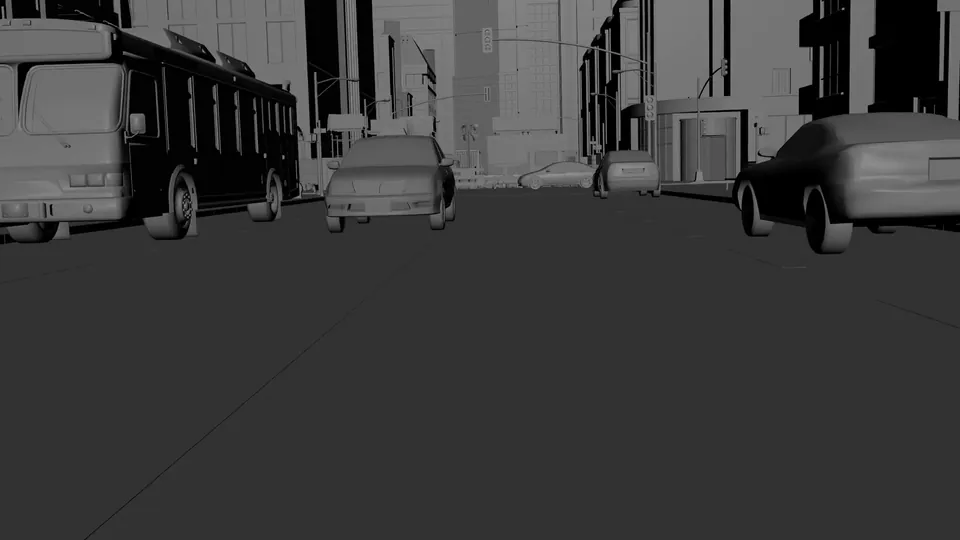
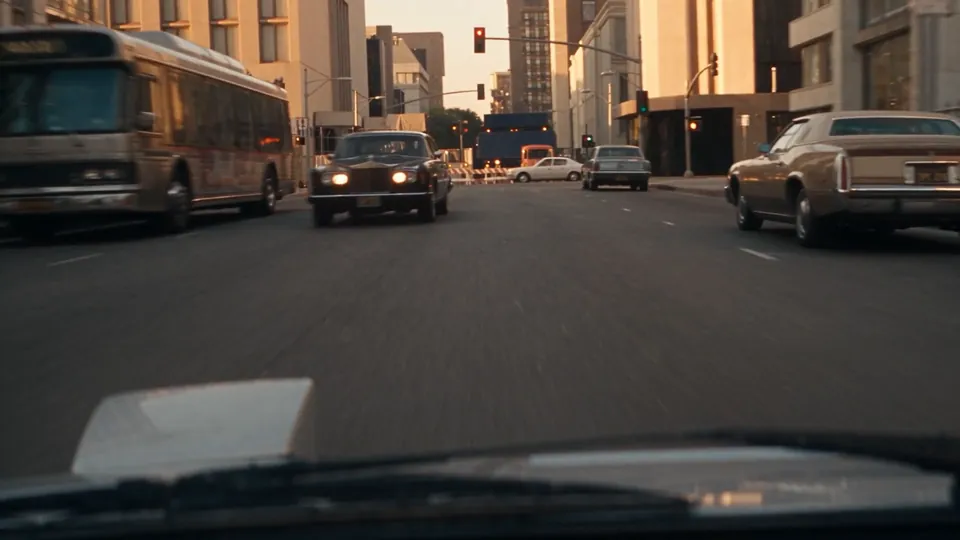 4 Driver’s view
 5 The drift
Motion guide: 3D or filmed
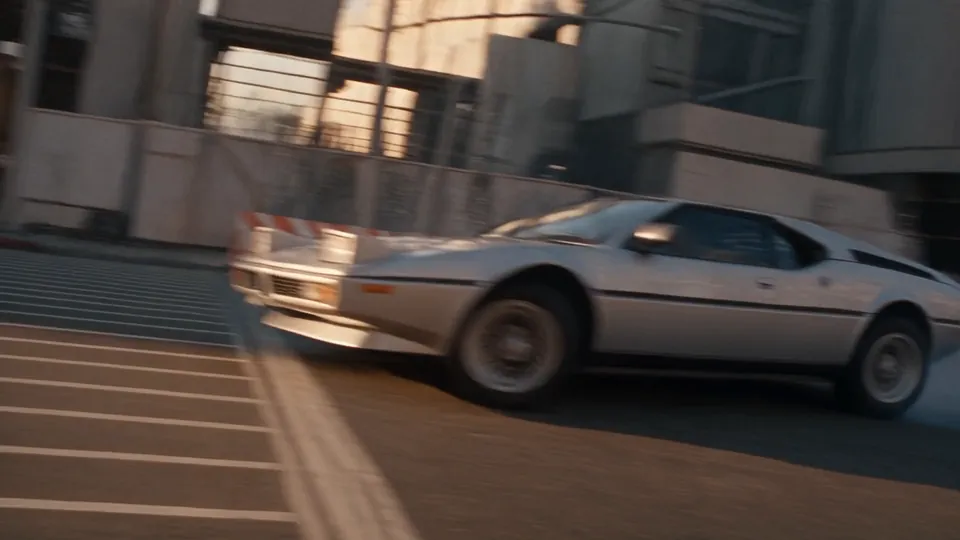
The same idea, in motion. A 3D animation sets the camera and the car’s path, and the generation follows it frame by frame. Filmed footage can guide it the same way.
Look quality drops a little, so it takes more tries. In return the motion is directed, and it stays the same from one take to the next.
The BMW M1 drifts round a street corner past a lamp post: the grey 3D animation and the generation that follows it
Generated ingredients
Here it gets really interesting for a VFX artist. The production wants to move the shot from AI quality to VFX quality.
Every detail of the shot can be treated as a separate element: generated again at a higher resolution, then replaced in compositing.
The frame
The same street as a clean plate: the crowd on the pavement behind the Mercedes is taken out.
Look closer
At full size, the plate is ready for its ingredients.
Rebuilt
Then the crowd is generated again on its own, at a higher resolution, and composited onto the plate. Drag the line to compare.
AI-enhanced VFX
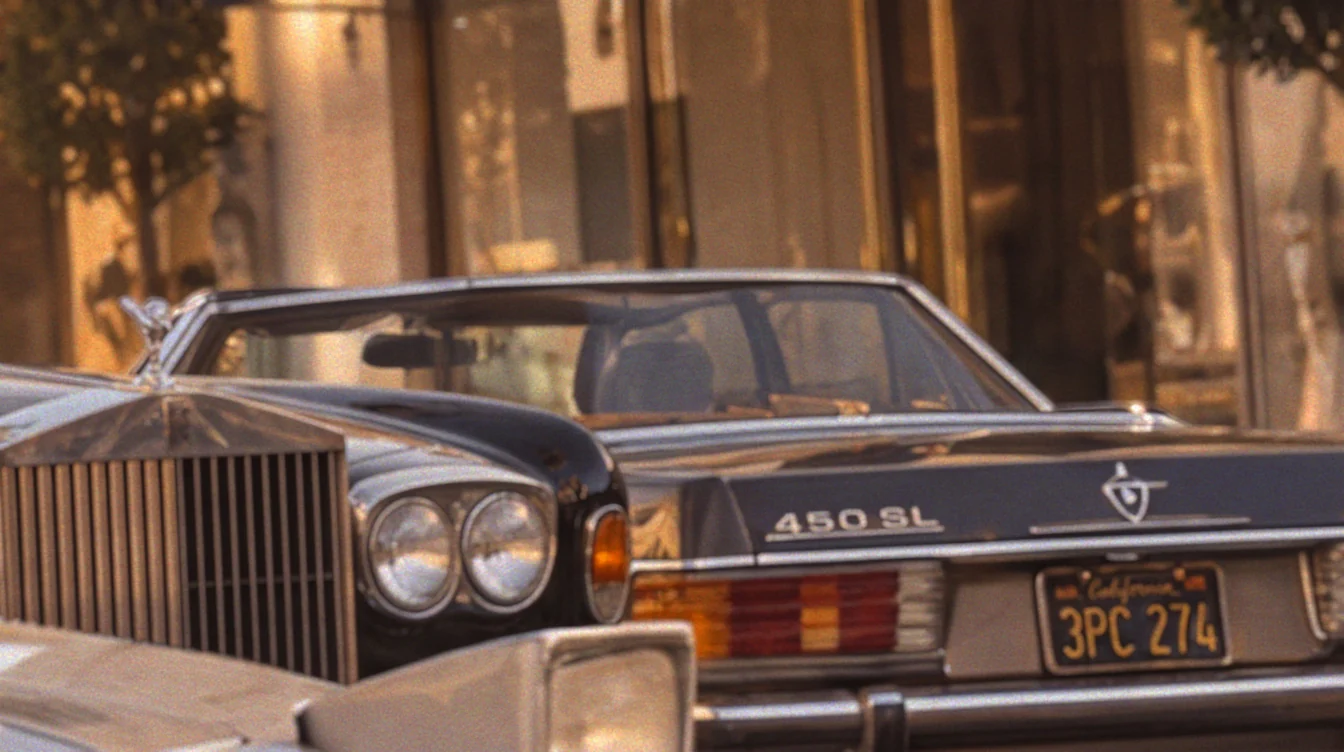
A GCL Level 7 shot is usually planned on a live-action plate, or on a full CGI shot that only needs a few AI elements somewhere in the frame. It is a VFX-first approach: AI only replaces the processes that are expensive and high-risk in VFX too.
In this frame, the crowd in the background is made of organic shapes: easy for AI, but a huge and expensive job in VFX. The text on the number plate and other defined elements, like car logos, are usually faster to get right in VFX.
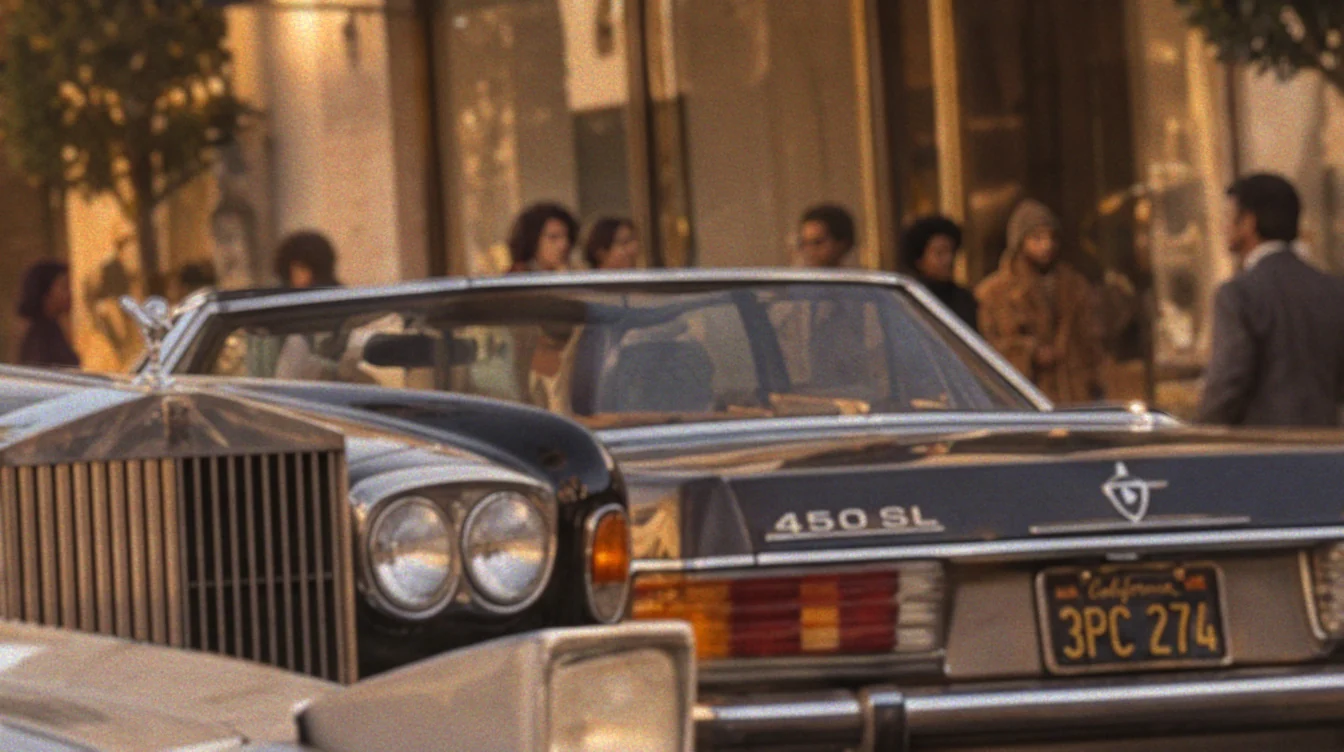
- 1 The crowd: organic shapes, quick for AI, a huge job in VFX
- 2 The number-plate text: defined, faster in VFX
- 3 The car logo: defined, faster in VFX or CGI
AI VFX or CGI
Technical Q&A for long AI‑generated shots.
Something else on your mind? Ask us on WhatsApp.
What are chunks or sliding windows in AI video generation?
Chunking, or a sliding window, is a technique where a long clip is generated as a series of shorter segments of a few seconds each, produced one after another with some overlap. It lets a model create clips longer than its native limit, but it can cause drift or visible transitions between segments: small changes in an object’s shape, lighting or motion speed.
It is one reason long generated shots need more iterations, and cost more (see the cost control Q&A).
Why do AI video models struggle with objects entering the frame?
Generative video models handle a complete object better than one that is partly cut off at the edge of a moving frame. So it is usually easier to have an element start fully in frame and then exit than to have it enter from off-screen. Shots where a new element has to appear from outside the frame tend to need more iterations.
How can you help an AI model place a generated element correctly during the shoot?
Use a spatial anchor: a physical object or marker placed on set where the generated element will appear. The model then has something real in the plate to replace, so it reads the element’s position, scale and movement in the scene more accurately.
Planning for AI replacement during the shoot is often cheaper than fixing placement problems in post-production. It is part of our on-set supervision.
Can keyframes or middle frames fix problems in long AI-generated shots?
Partly. Giving the model a reference frame partway through the clip can keep the shot on track, but it often creates a new problem: the model may treat the middle frame as a moment to hold. The motion slows or pauses around that frame and then resumes, which looks unnatural. Middle frames work best where the motion around them is slow or naturally pauses.
Can you reverse an AI-generated clip to fix an object entering the frame?
Yes, with limits. A common trick is to generate the easier version, with the element leaving the frame, and then play the clip backwards so it appears to enter. The drawback is that all the generated motion also plays in reverse, including physics and secondary motion like smoke, water, cloth or particles, which can look wrong. Prompting the model to generate motion “in reverse” directly is not reliable.
Send us a still. We'll tell you which level it needs.
Share a frame, a board or the script on WhatsApp. You'll get a level for each shot, what the AI route can carry and where the artists come in, before anyone spends on the expensive part.